
How to Choose a UPS for a Data Centre
How to choose a data centre UPS: topology, capacity, N+1 and 2N redundancy, efficiency, and modular vs monolithic, so you select the right system.
Enerzolve Power Electronics Team··Industry & Applications·7 min read
How do you choose the right UPS for a data centre?
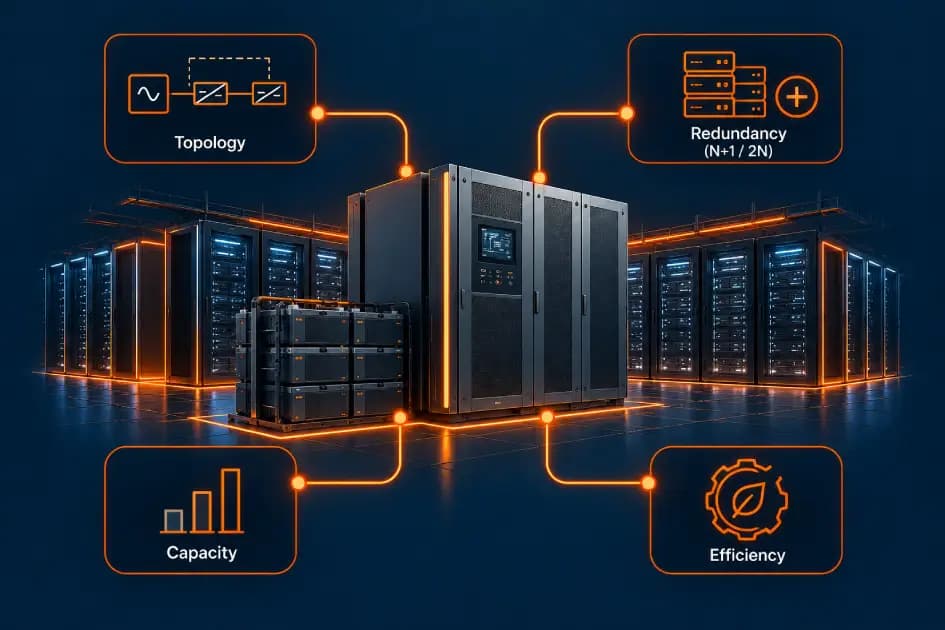
Choosing a UPS for a data centre comes down to five things, in order: the topology (which for a data centre means online double-conversion), the capacity sized to your load, the redundancy level that matches your uptime commitment, the build (modular or monolithic), and efficiency, since a UPS runs continuously and its losses show up in your running costs. Get these right and the UPS protects your load reliably for years; get them wrong and it becomes either a risk or a needless expense.
This guide walks through each decision in the order a data centre operator should make them.
1. Start with topology: you need online double-conversion
For any real data centre, the topology decision is already made: you need an online double-conversion UPS. This is the only type that delivers both zero transfer time when the mains fails and full isolation from power disturbances, because the load is always fed through the UPS. Standby and line-interactive UPS are cheaper but introduce a transfer delay and less conditioning, which sensitive IT hardware cannot tolerate. We explain the differences in our guide on data centre UPS types.
So the first decision isn't really "which topology," it's confirming you're specifying online double-conversion, then moving to the decisions that actually vary.
2. Size the capacity to your load
Next, size the UPS to the load it must protect, in kilowatts or kVA, including your current IT load plus near-future growth. Undersize it and you cannot add equipment; oversize it and you waste capital and run the UPS inefficiently at low load. Account for your actual rack densities, AI and high-performance computing workloads have pushed densities far higher than legacy data centres, and leave sensible headroom for growth. A modular UPS (see below) makes this easier, because you can add capacity as you grow rather than committing everything upfront.
3. Choose the redundancy level
A single UPS is a single point of failure, so data centres build in redundancy. The level you choose should match your uptime commitment.
| Configuration | Meaning | Resilience |
|---|---|---|
| N | Exactly the capacity needed | No redundancy |
| N+1 | One spare module beyond need | Survives one module failure or allows live service |
| 2N | Fully duplicated systems | Survives a full system failure |
| 2N+1 | Duplicated plus a spare | Highest resilience |
N+1 is the practical baseline for most data centres; 2N is standard for mission-critical facilities and higher tier levels. The redundancy choice links directly to the Uptime Institute tier you are targeting, higher tiers require configurations that let you maintain or survive faults without ever dropping the load.
4. Decide between modular and monolithic
A monolithic UPS is a single large unit sized for the full load. A modular UPS is built from smaller power modules that combine to reach capacity and can be serviced or expanded live, one module at a time. For modern data centres, modular is increasingly preferred because it makes N+1 redundancy and hot-swap straightforward, lets you scale capacity as demand grows rather than over-buying, and allows a module to be replaced without dropping the load. Choose monolithic only where a fixed, known load and lower upfront cost outweigh the flexibility.
5. Weigh efficiency and running cost
A UPS runs every second of every day, so its efficiency directly affects your electricity bill and your cooling load, both of which feed into your PUE (power usage effectiveness). A small efficiency difference compounds into significant cost over the life of the system. Look for high efficiency across the load range, not just at full load, since UPS often run below full capacity, and modern designs using efficient switching hold efficiency better at partial load.
6. Factor in battery and runtime
Finally, consider the battery: the type (and whether lithium-ion or VRLA suits your space, lifecycle, and budget) and the runtime you need to bridge until generators take over during an outage. Runtime requirements depend on your backup generation and your risk tolerance. This is a sizing decision made alongside capacity, not an afterthought.
A data centre UPS selection checklist
| Decision | What to confirm |
|---|---|
| Topology | Online double-conversion (non-negotiable for a data centre) |
| Capacity | Sized to current + near-future load, with headroom |
| Redundancy | N+1 baseline, 2N for mission-critical |
| Build | Modular for scalability; monolithic for fixed loads |
| Efficiency | High across the load range, not just at full load |
| Battery/runtime | Battery type and runtime to bridge to generators |
Why the UPS choice matters so much
The UPS is one of the few data centre components that runs continuously and sits directly in the critical power path. A wrong topology risks the load, wrong redundancy risks downtime during a fault or service, wrong sizing wastes money or blocks growth, and poor efficiency bleeds cost every hour. That is why the UPS deserves careful evaluation rather than a price-first decision. For the wider power picture, conversion and distribution around the UPS, see our guide on data centre power infrastructure.
Data centre UPS from Enerzolve
Enerzolve builds online double-conversion industrial UPS as part of its power electronics portfolio, on a modular architecture with N+1 redundancy and hot-swap so critical loads never see an interruption during service, with high efficiency and battery and hybrid storage support. If you are specifying a UPS for a data centre or critical facility, talk to our engineering team about your load, redundancy, and runtime requirements.
The takeaway
Choosing a data centre UPS means confirming online double-conversion topology, sizing capacity to your load with headroom, selecting a redundancy level that matches your uptime commitment (N+1 baseline, 2N for critical sites), deciding between modular and monolithic based on how much you expect to scale, and weighing efficiency and battery runtime. The UPS runs continuously in the critical path, so these decisions are worth getting right rather than chasing the lowest upfront price.
Frequently asked questions
Choose a UPS by confirming online double-conversion topology, sizing capacity to your current and near-future load, selecting a redundancy level (N+1 baseline, 2N for mission-critical), deciding between modular and monolithic build, and weighing efficiency and battery runtime. The UPS runs continuously in the critical path, so match it to your uptime commitment rather than price alone.
An online double-conversion UPS is best for a data centre, because the load is always fed through the UPS. This gives zero transfer time when the mains fails and full isolation from power disturbances, which sensitive IT equipment requires. Standby and line-interactive UPS are not suitable for critical data centre loads.
N+1 means one spare module beyond the capacity needed, so the system survives a single module failure or can be serviced without dropping the load. 2N means a fully duplicated system that survives a full system failure. N+1 is the baseline for most data centres; 2N is used for mission-critical facilities.
A modular UPS is usually preferred for data centres because it makes N+1 redundancy and hot-swap easy, lets you scale capacity as demand grows, and allows module replacement without dropping the load. Choose a monolithic UPS only where the load is fixed and known and lower upfront cost outweighs flexibility.
Very important. A UPS runs continuously, so its efficiency directly affects the electricity bill and cooling load, both of which feed into the data centre's PUE. A small efficiency difference compounds into significant cost over the system's life, so efficiency across the load range is a key selection criterion.
Keep reading
What is a BESS? Battery Energy Storage Systems Explained
A BESS is a system of systems. The BMS protects the cells, the PCS converts the power, and the EMS decides what the whole thing should do.
HES vs MDMS: How the AMI Software Layer Works
The HES talks to the meters, the MDMS makes sense of the data. One collects, the other perfects — and a serious AMI rollout needs both.
Grid-Forming vs Grid-Following Inverters (What Grid-Forming Means)
A grid-following inverter is a passenger. A grid-forming inverter can be the driver — and as conventional generation retires, that difference matters more every year.
Ultrasonic vs AMR Water Meters: Which One Fits Your Network?
Accuracy, maintenance, communication, and cost — how the two technologies actually differ, and how to pick per application rather than per vendor.
Planning a metering or power conversion program?
Talk to the engineering team about specifications, standards, and deployment.
Contact Enerzolve